Ravkit Desktop
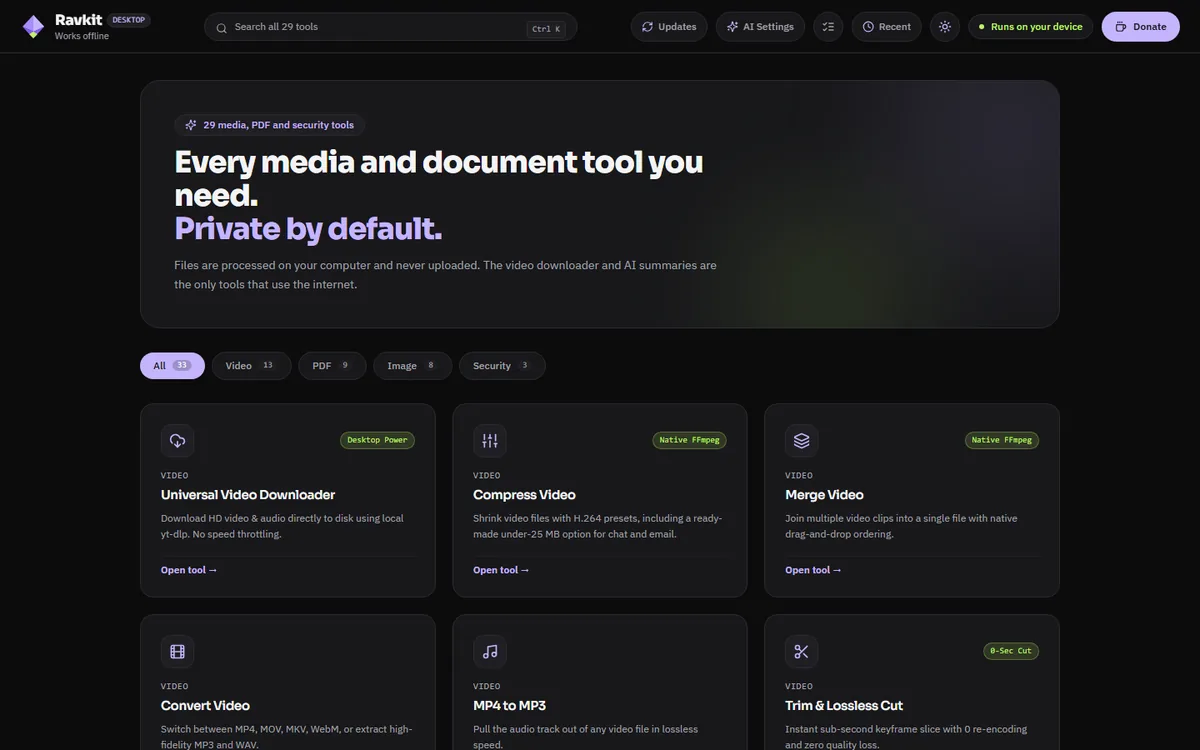
The Ravkit tools, as a free desktop app.
Compress, merge and trim video. Work with PDFs and images. Remove personal details from files. It runs on your own computer, with no account and no ads.
Free. Windows 10 or 11 (64-bit), or a Mac with Apple Silicon.
Free, no account
No ads, no sign-up, no limits on how much you use it.
Your files stay with you
Processing happens on your computer. Nothing is uploaded unless you choose an AI feature.
Updates itself
Ravkit checks for new versions when it opens, and you can turn that off.
What is inside
The same tools as the website, plus a few that need a real desktop app.
Video
Compress, convert, merge and trim video. Cut a clip instantly without re-encoding, or turn a video into a GIF or WebP.
Subtitles
Write subtitles from speech, edit them, save SRT or VTT, or burn them into the video. On Windows it runs on your computer, or you can use your own Google key.
Merge, split, rotate, compress and delete pages. Summarise a PDF with your own Google key.
Images
Compress, convert, enlarge and remove backgrounds. The AI tools download a small model the first time you use them.
Privacy scrubber
See the location, camera and author details hidden in photos, PDFs and videos, then remove them and check the result.
Link downloader
Save videos from a link to your own disk. Use it only for videos you own or have permission to download.
Installing
Windows 10 or 11
- Download the setup file and open it.
- If Windows says Windows protected your PC, choose More info, then Run anyway. This appears because Ravkit is new and not yet signed with a paid certificate.
- Finish the setup. After that, right-click a video, photo or PDF and choose Open with Ravkit.
Mac with Apple Silicon
- Open the downloaded file and drag Ravkit into Applications.
- The first time, right-click Ravkit and choose Open, or allow it in System Settings, Privacy & Security, Open Anyway. This appears because the app is not yet signed with an Apple developer certificate.
- Intel Macs are not supported yet. The Mac version has had less testing than the Windows one.
Questions
Is Ravkit Desktop really free?
Yes. There are no ads, accounts or paid tiers in the desktop app. It is supported by tips from people who find it useful.
Does it upload my files?
No, except when you choose an AI feature that needs it. Summaries and Google subtitles send the audio or PDF to Google using your own key. Everything else runs on your computer.
Does it work offline?
Most tools do. The link downloader, Google summaries and Google subtitles need the internet, and a few AI tools download a model once, the first time you use them.
Why does Windows warn me before installing?
Ravkit is new and its installer is not yet signed with a paid publisher certificate, so Windows SmartScreen does not recognise it. It is not a virus warning. Choose More info, then Run anyway.
Is there a version for Intel Macs or Linux?
Not yet. The Mac version is for Macs with Apple Silicon (M1 or newer). There is no Linux build at the moment.
Free, and kept going by tips.
Ravkit Desktop is built and maintained independently. If it saves you time, a tip helps keep it free.